
Setting Up a Command Center
With the Command Center feature, you can quickly configure your NOC view or Home Menu dashboards.
Path: My Task/My Task/User Settings/Command Center
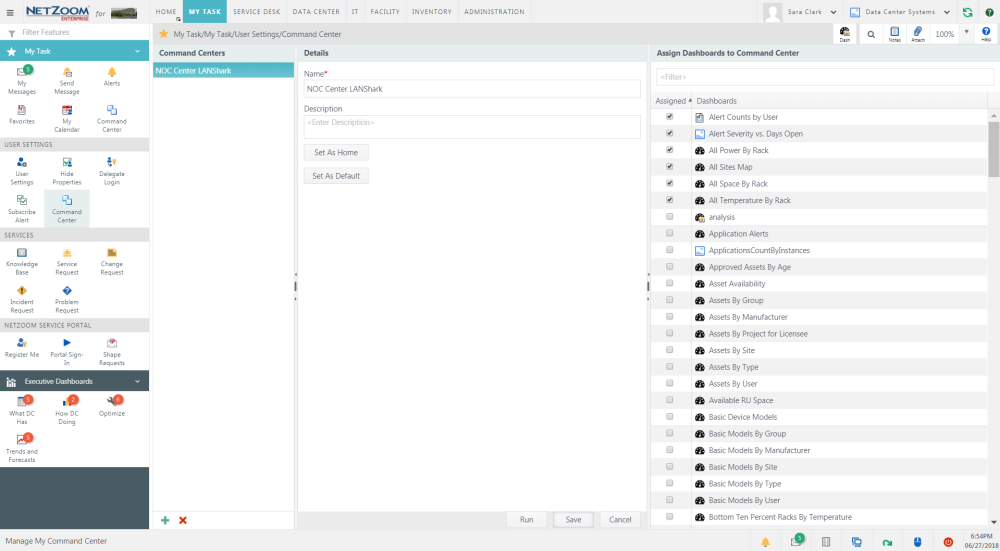
- To create a command center, click the
 icon at the bottom of the Command Center feature.
 - Enter a name for the command center. A description is optional.
- Click the [SAVE] button to save your command center. Now you must assign dashboards to the center. Select your command center in the Command Center pane.
- Check [X] the dashboards you want to assign to your command center in the Assign Dashboards to Command Center pane.
- Click the [Set as Home] button to make the selected dashboards your Home Menu dashboards.
- Click the [Set as Default] button to make the selected dashboards the default My Task Menu Command Center.
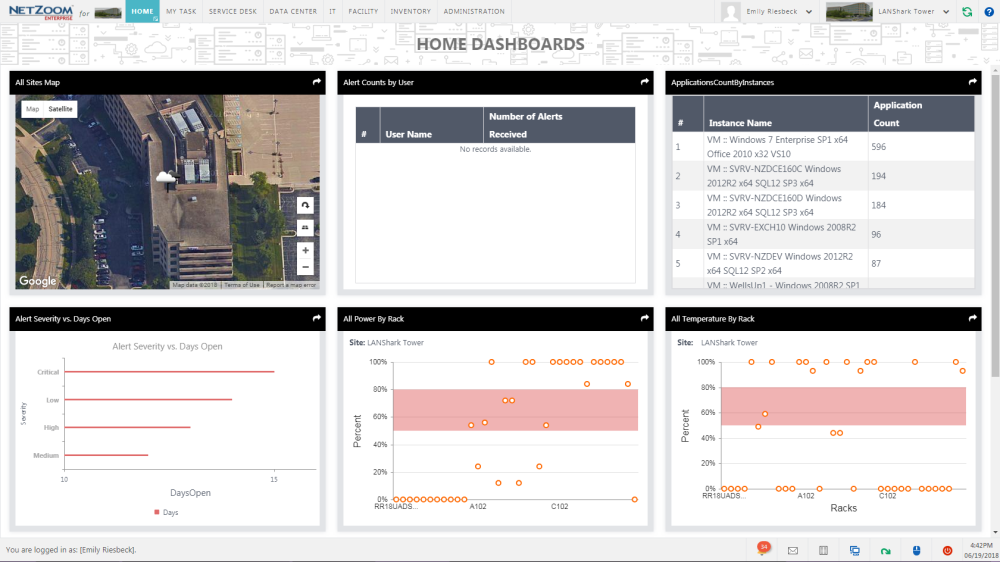
- Click the [Run] button to preview your command center.
- Click the [SAVE] button to save the parameter.
Available Quick Actions
Last Updated: Thursday, August 13, 2020
NetZoom, Inc.